


Written by Abby Wason
Getting organised for a new session can be overwhelming at the best of times, but your timetable shouldn’t be the biggest stress in all of this. To help reduce this stress, the Charles Sturt team have been hard at work to bring a brand-new and improved My Timetable interface, making planning, viewing and adapting your timetable so much easier.
From the very basics of knowing when your timetable allocations open to both view and select preferred classes, to the behind the scenes of changing classes and matching classes with friends, this update has got you covered. Everything you need in one place, with simpler steps that work for all of us students.
While the core features have stayed the same, viewing classes, checking locations, and managing allocations, the overall experience is smoother, clearer and more user-friendly.
Let’s take a closer look at the three biggest improvements that make the new My Timetable interface a major upgrade.
1. The New Dashboard that keeps you in control
The first major upgrade is the new dashboard, it has everything you need in one clear, central space.
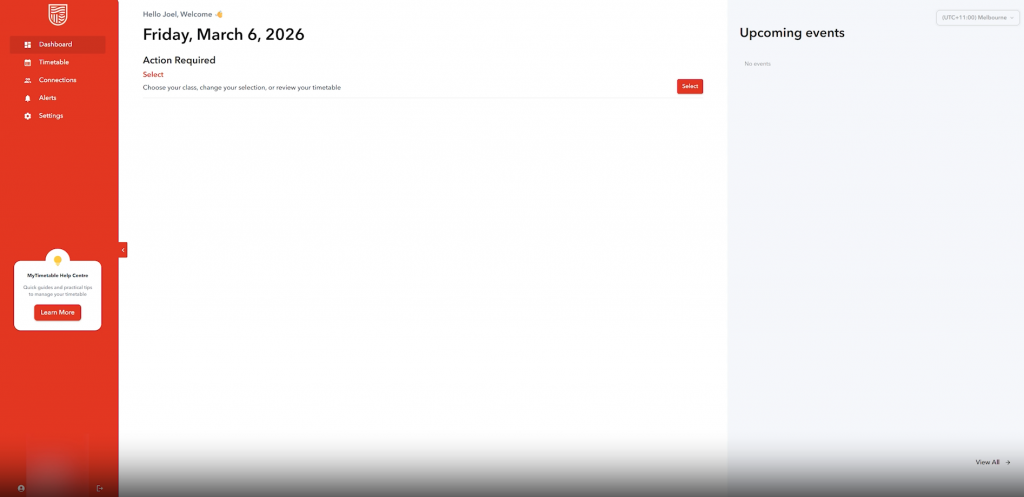
As soon as you log in, you can easily see messages, updates and whether there’s any alerts for you. This removes the need to click through multiple pages or worry about missing important information during busy periods.
Alerts are highlighted via a numbered icon on the bell in the top left corner, these may be changes in class times, locations or other messages. Most importantly these are elements that require your attention, helping you stay on top of key dates, and changes.
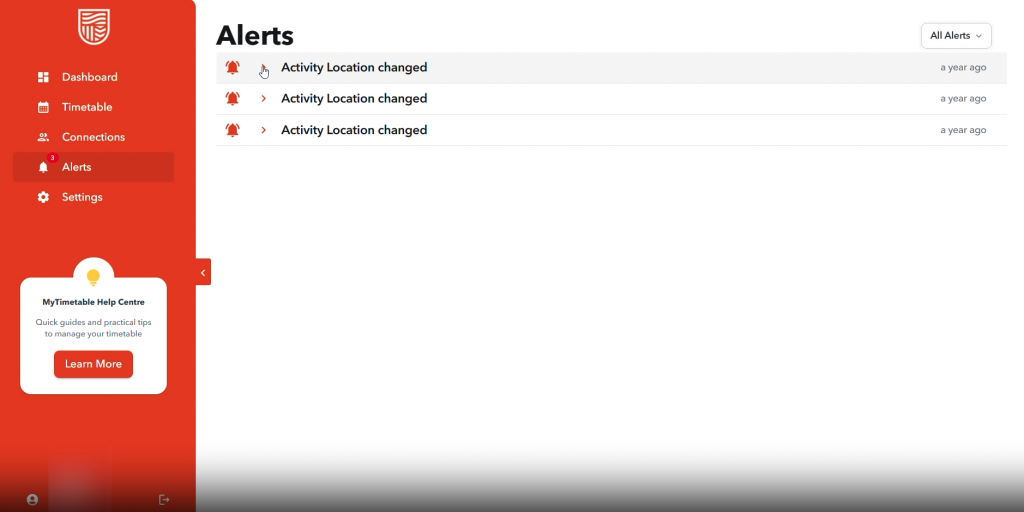
This easy to view and interactive interface means you’re no longer guessing what to do next or what has changed.
It’s the simple change that makes the biggest difference in staying organised and proactive.
2. A Cleaner, more intuitive timetable view
We all know how unappealing that old timetable looked, so I’m happy to report that the new timetable layout is more modern, visually clear and easier to navigate.
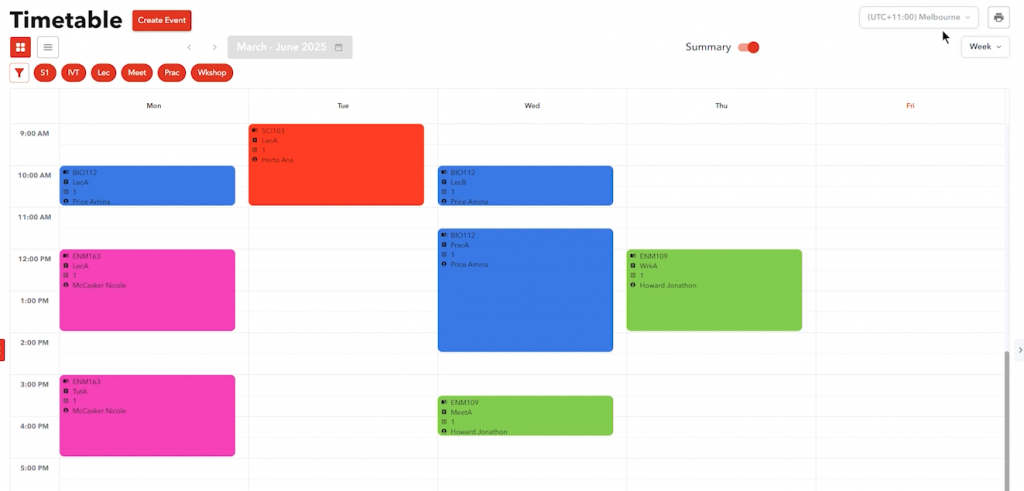
The timetable now uses clear colours for each subject, making it much easier to distinguish between classes at a glance. Instead of scanning through small text with a bunch of letters and numbers, you can now visually map out your week and understand your schedule in a modern aesthetic way.
You can also switch seamlessly between day and week views, depending on how you prefer to plan this is a game changer. You can either tackle a single day at a time or see what’s coming up and get your prep work done to match class schedules.
Even better, Connections in the top left now allows you to easily use your friend’s student ID to view their timetable and match your classes, maximising the amount of time available for that coffee break together.
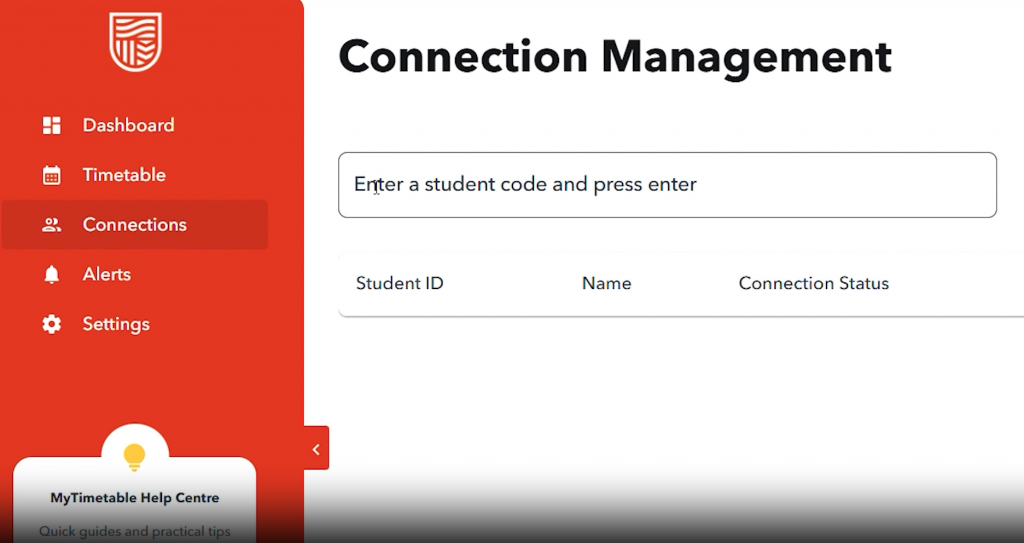
This new, cleaner design isn’t just about aesthetics, it helps you plan and study better. Whether you’re organising when / what study needs to be done, where you can get a shift in at work or even when is best to squeeze in a catch up with the girls, it’s built to reduce stress and improve time management.
3. Easiest class allocations with clear guidance
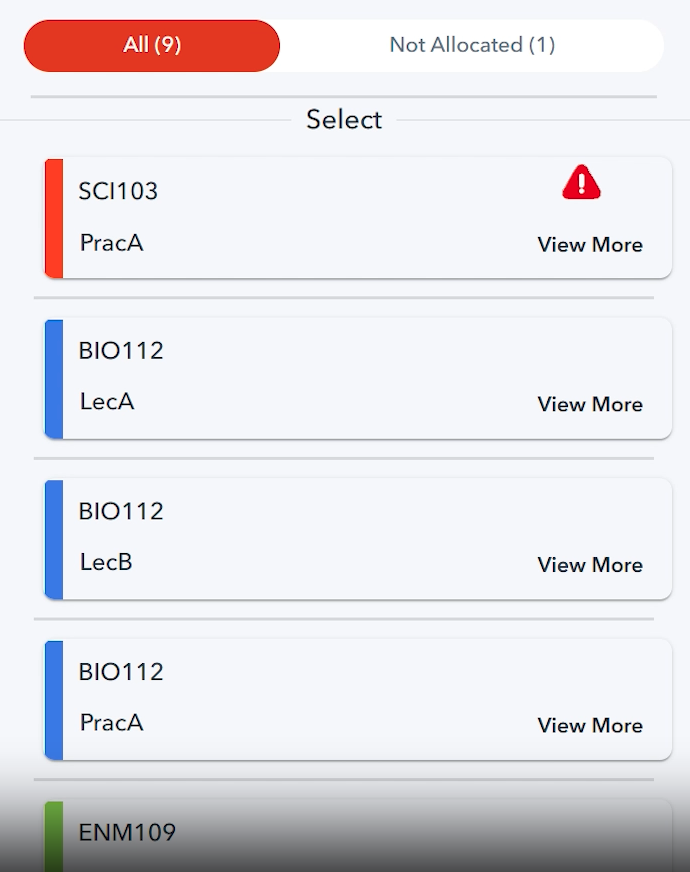
One of the most significant upgrades is how simple class allocation has become. No more changing screens with 15 unnecessary “ok” and “go back” clicks, allocating classes is now a simple drag and drop process (and yes, with colour coding!).
When class allocations are open, you can drag and drop classes directly into the available timeslots on the timetable grid.
Alongside this, clear “action required” alerts let you know exactly when you need to take action. It may be selecting a class, confirming your choice, or responding to a change or clash, the new system guides you through the whole process.
The combination of drag and drop functionality and clear prompts removes confusion and helps to ensure nothing important is missed.
Allocating early
Now that we’ve gone over the new elements, we’re back to the basics of why allocating early is so important.
The earlier you build your timetable, the more likely you are to secure the spots you want, especially for those high-demand tutorials, and practical sessions that fill up fast.
Allocating early is also so practical for life, giving you more flexibility to balance uni with work, placements and other general life commitments (like that coffee with the girls).
Think of it as setting up the foundations early for a smoother session.
Final thoughts and how to make the most
The new interface is designed to make planning and interaction throughout the session simpler and combining uni with life more manageable.
With the smarter dashboard, cleaner timetable view, and easy drag-and-drop class allocations, the new system works with you, (not against you like the old one).
As the new session approaches, take advantage of the improvements and get in early to build your timetable and set yourself up for an organised, aesthetic and less stressful semester.
This time the timetable works better, and everything is that bit easier.
To find out more information, visit: https://www.csu.edu.au/current-students/studying/plan-your-study/timetable/mytimetable
Charlie blog is a SSAF initiative.